



Sweetsino Casino on Android and iPhone Without a Separate App
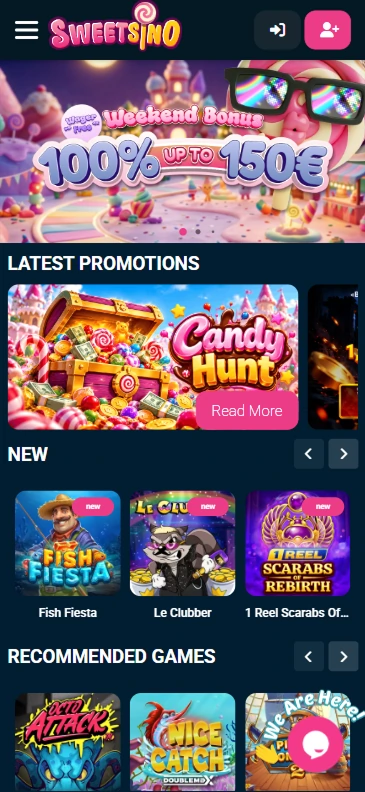
Sweetsino Casino provides access to its mobile services through the website rather than a separate application. The catalogue, cashier and personal account can all be opened on a smartphone. This is particularly convenient for anyone who switches between a computer and a phone. Login details remain the same, and the main features are not restricted to one device.
The main difference on a smaller screen is navigation. Categories and filters take up less space, tiles adjust to the display width, and some slots support portrait orientation. Different formats also have different technical requirements. A conventional slot may work comfortably within a compact layout, whereas a live table depends more heavily on a stable video stream and accessible controls.
Using a Browser Instead of a Native App
Android users can access the website through Chrome and other compatible browsers. On iPhone and iPad, it opens in Safari.
The available information does not confirm the existence of native applications for either iOS or Android. A separate APK file is not provided as an official installation option either.
There is therefore no need to search the App Store or Google Play for a dedicated download, let alone install files from unfamiliar sources.
The main features are available directly through the mobile website. Content is loaded from the server, and interface changes generally become visible when the page is refreshed.
Adding a Shortcut to the Home Screen
The website can be added to a smartphone’s home screen for quicker access. This saves a few steps on subsequent visits but does not turn the browser version into a confirmed native application.
On Android, the usual procedure is:
- Open the website in Chrome.
- Open the browser menu.
- Select Add to Home screen.
- Confirm the shortcut.
On iPhone, use Safari:
- Open the website in Safari.
- Tap Share.
- Select Add to Home Screen.
- Change the name if necessary and confirm.
The icon will then appear alongside other apps. Exactly how the shortcut opens depends on the browser and operating system.
The operator has not confirmed a separate Progressive Web App (PWA). A home screen icon should therefore not be taken as evidence of a standalone web application with additional capabilities.
Browsing the Catalogue on a Smartphone
The main entertainment sections remain available on mobile devices. Visitors can move between Casino and Live Casino, explore categories, search for particular slots and use the Providers filter.
With so many titles available, the search bar is especially useful. It provides a direct route to a familiar series without having to scroll through a long grid of thumbnails.
Filtering by developer serves a different purpose. It allows visitors to browse releases from a particular studio, such as Pragmatic Play, NetEnt or Hacksaw Gaming.
On smaller displays, these controls may be tucked into compact panels, making navigation slightly different from the desktop version. This is a normal feature of responsive design rather than a sign that the relevant functionality is missing.
Slots and Short Playing Sessions
Many video slots are designed for touchscreen controls. Spinning the reels, adjusting the stake and opening the rules are handled through on-screen buttons.
Some releases work in portrait orientation, allowing the phone to remain upright. Others arrange their controls differently, depending on the developer’s design.
Quick-play formats such as Plinko and Mines are also worth considering separately. They generally involve a series of short actions and allow the next round to begin quickly.
Fast touchscreen controls can be convenient, but they may also make it easier to spend through a playing budget. Stake and time limits are therefore particularly useful for anyone who regularly plays on a phone.
Live Casino and Connection Requirements
Live tables work quite differently from conventional slots. The screen displays a video stream alongside the controls and information about the current round.
A stable connection is important for roulette, blackjack and game shows. Delays in the video or interface updates can make it difficult to place a stake in time.
Screen size matters too. On a smartphone, some table controls may be moved into additional panels. It is therefore worth checking where the buttons are located and what limits apply before taking part.
Access to a particular stream also depends on the table’s status and the provider’s rules, rather than the device alone.
Logging In and Verifying Email on a Phone
The same credentials work on mobile and desktop. There is no need to register again.
New users complete the three-stage Register form, entering a username, email address and password before choosing a currency and providing additional details. Once the form has been submitted, the email address must be confirmed using a Verification Token.
This requirement applies regardless of the device. Anyone signing up on a smartphone will therefore need access to the inbox where the verification code is sent.
Password recovery also takes place by email. Signing in through Google or Facebook is not supported.
If a phone is lost or replaced, the profile remains linked to the original login details. Access to the registered email address may still be needed to recover credentials securely.

Deposits and Withdrawals Through the Mobile Cashier
Financial transactions can be managed through the website. Account holders can choose a funding method, enter an amount and proceed to payment confirmation.
Apple Pay and Google Pay are among the mobile options listed in the general selection. Whether either service is available for a particular transaction depends on the device, bank and options shown in the cashier.
For cryptocurrency transfers, a smartphone makes it convenient to copy the recipient’s address into a digital wallet. The blockchain network, currency and destination details must still be checked carefully before sending anything.
Withdrawals follow a separate procedure. Wire Transfer is the confirmed payout method, so using a mobile payment service to add money does not mean winnings can be received through the same channel.
Currency conversion is another consideration for UK bank account holders, as GBP is absent from the options shown during registration.
Promotions and Personal Settings
The Promotions section can be opened on a phone to check the available offers. Rewards linked to deposits follow the same activation conditions as on a computer.
Stake limits, wagering requirements and payout restrictions do not change simply because the mobile website is being used.
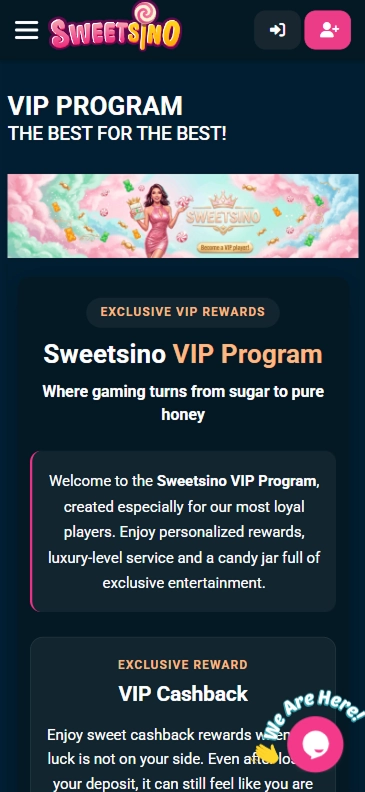
Loyalty benefits also remain attached to the existing account. An invitation to VIP Program does not create a separate status for smartphone users.
The mobile account area includes the available responsible gambling tools, such as spending limits, temporary restrictions and other controls over activity.
Updates and Technical Considerations
The browser version does not require users to install each update manually through an app store. Changes to the interface are delivered through the website.
An internet connection is still necessary to access the entertainment sections. Images or page elements stored on the device do not make it possible to complete rounds offline.
Push notifications should not be assumed to be available. Support for them depends on the browser, operating system and whether the operator has implemented the relevant functionality.
If a page is not displaying correctly, checking the connection, updating the browser and reopening the website may help. Clearing cookies can end a saved session, meaning the user will need to sign in again.
When contacting support about a technical problem, it is useful to provide the device model, browser version and the section where the issue occurred.
Further information about the site, its entertainment categories and rewards programme is available on the main page.